Import guide
Import terrain (XYZ)
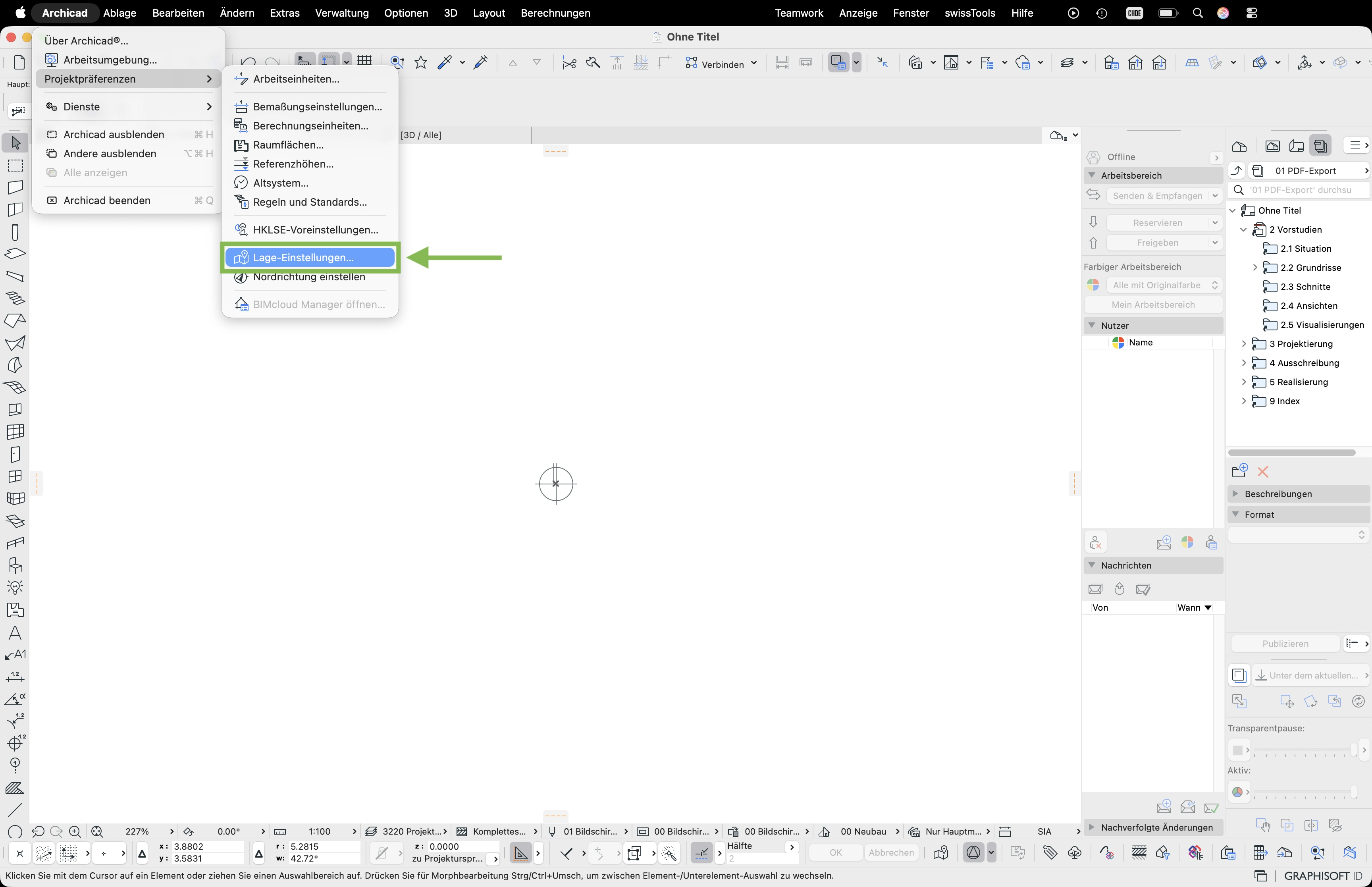
- Open File > Project Preferences > Location Settings
- Enter the national coordinates from the download package into the «East value» and «North value» fields – with a minus sign at the start. Confirm with OK.
- You'll find the coordinates and the elevation in the info sheet
00_INFO.pdfincluded in the download package – they're highlighted in green there. - In the menu select swissTools > Import > SwissGis palette
- The SwissGis palette appears in the toolbar – click the folder icon
- In the swissTools panel check the settings and select National coord. LV95
- Select the
Terrain.xyzfile from the download package and confirm with Open - Select the visible layer (e.g. ArchiCAD layer) for export and activate the survey point
- From an area of 500 × 500 m a reduction area is recommended: click the symbol and place the frame where the terrain should stay detailed – outside it the point density is reduced so ArchiCAD runs more smoothly
- Click Place to import the terrain
- The terrain is imported and appears as a 3D terrain model